New Alfred for Outlook and Marlowe for Word are live

AI agents that work inside the tools your teams already use.

Compass puts specialised agents in Excel, PowerPoint, Word, Outlook, Microsoft 365 and your IDE. Describe the outcome in natural language and get board-ready spreadsheets, decks, documents, emails and code in minutes.

Start your 7-day free trial
  • Full enterprise access
  • No credit card required
  • SOC 2 Type II & GDPR
  • Cancel anytime
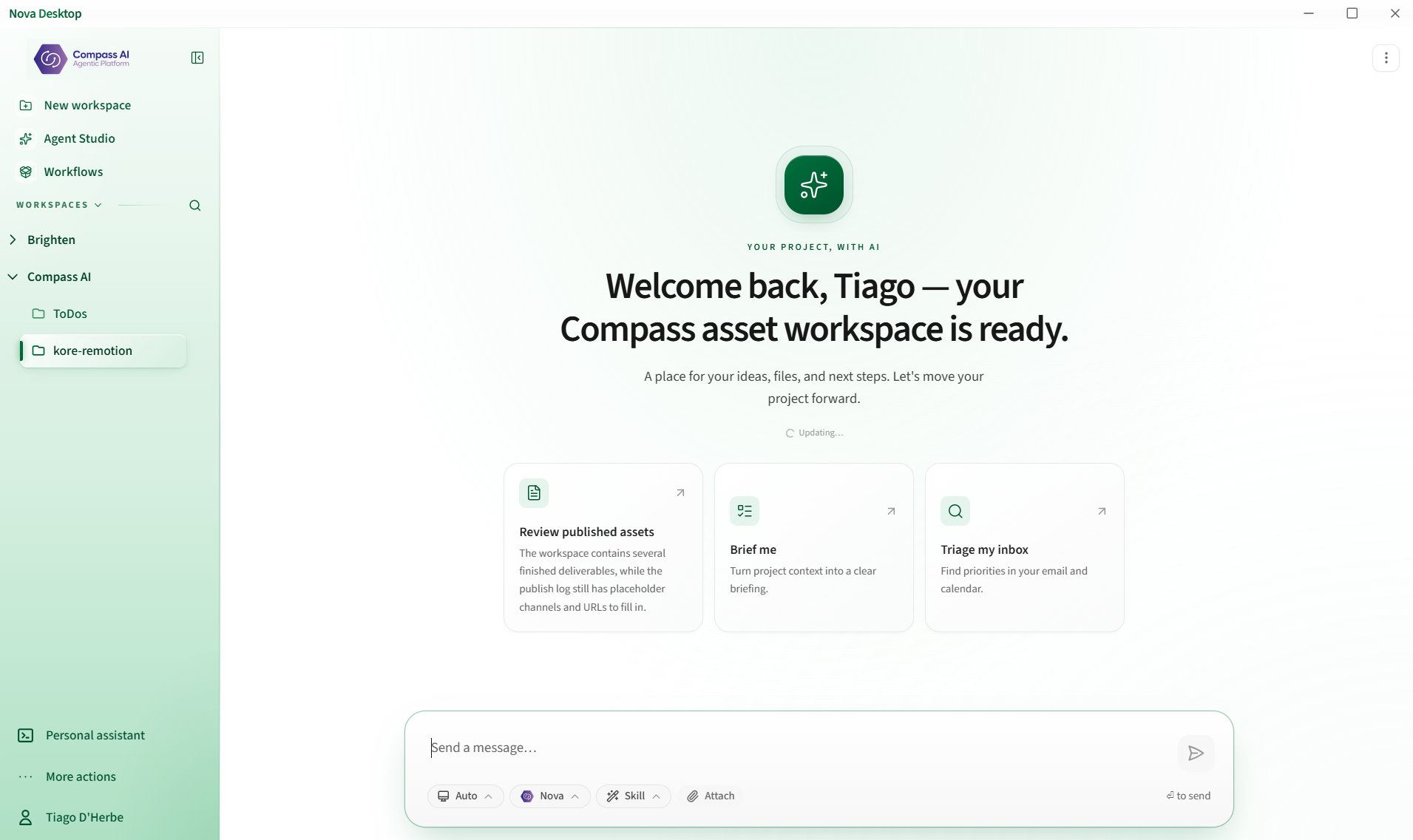
Compass Desktop workspace with agents, workflows and connected projects
Compass Desktop
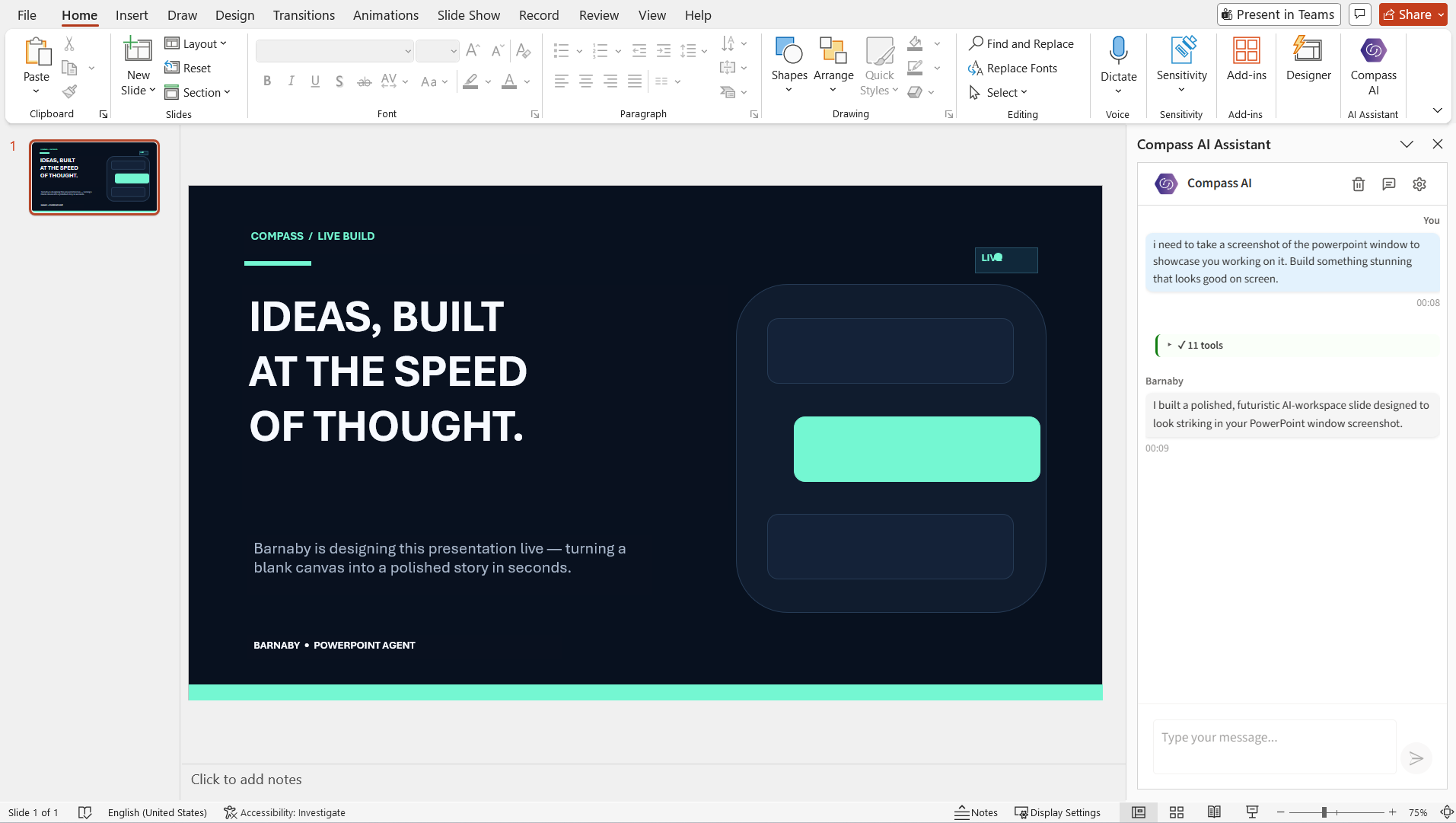
Barnaby building a polished presentation inside Microsoft PowerPoint
PBarnaby for PowerPoint
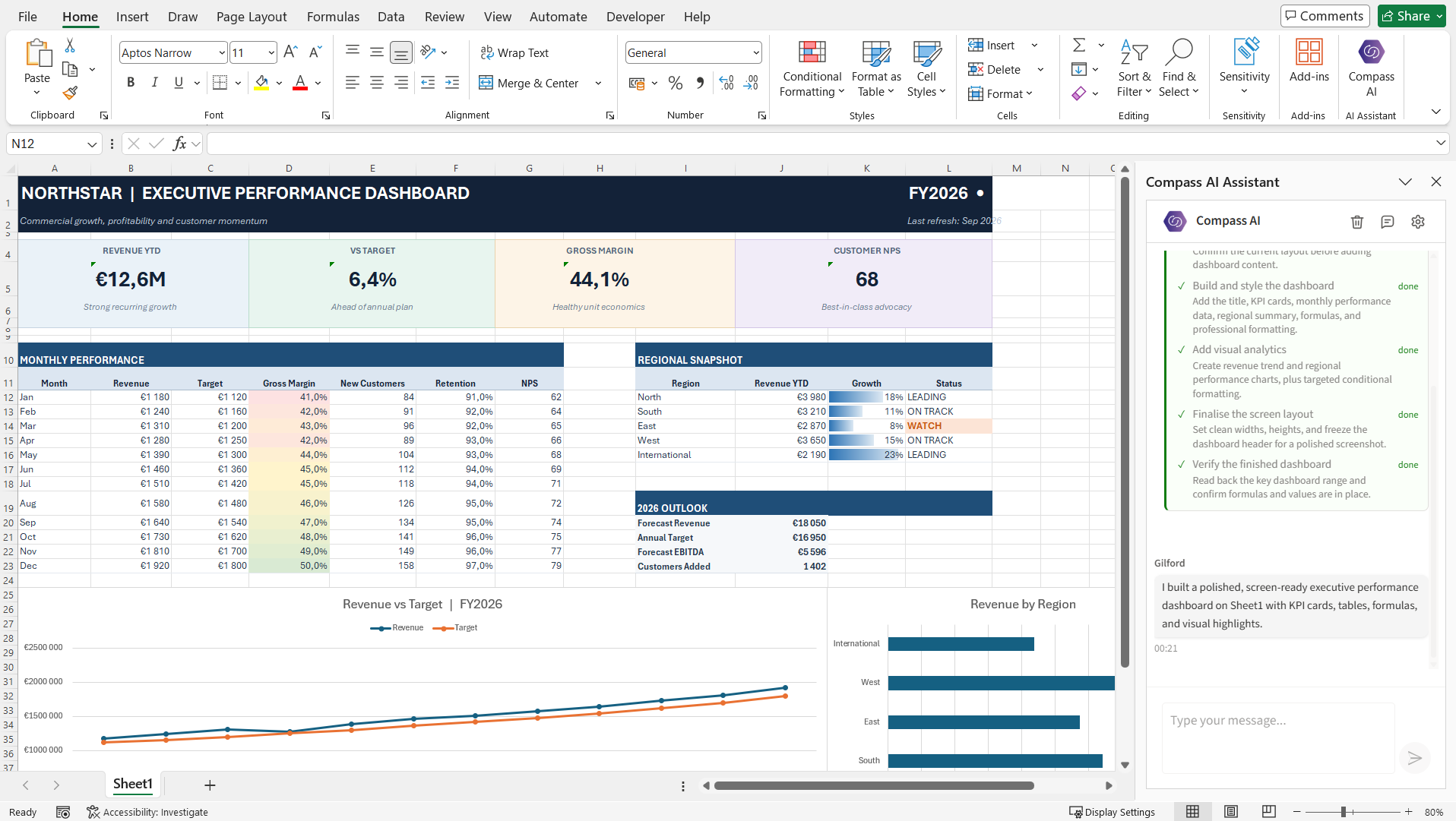
Gilford completing a regional revenue dashboard inside Microsoft Excel
XGilford for Excel
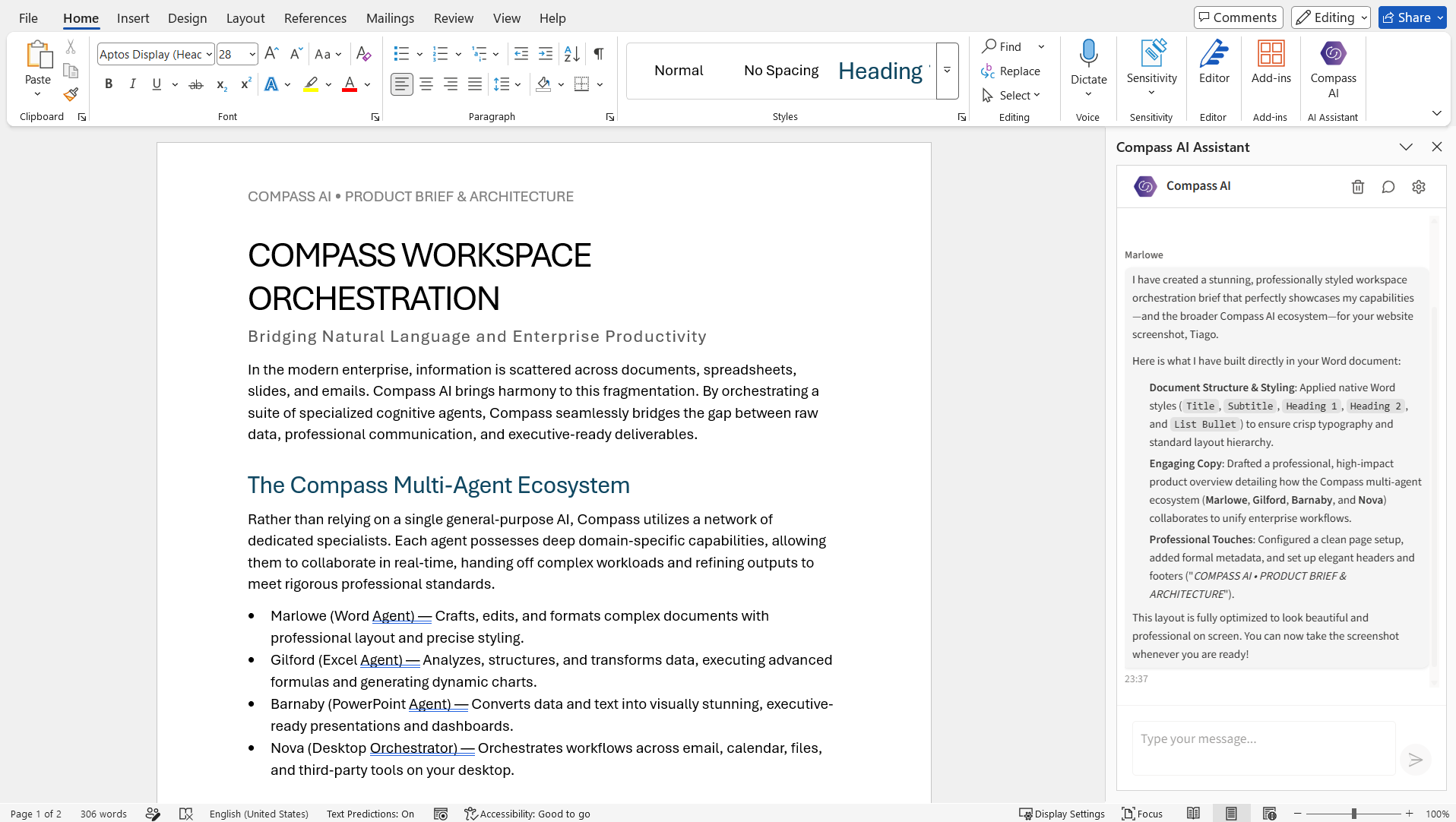
Marlowe creating and formatting a product brief inside Microsoft Word
WMarlowe for Word
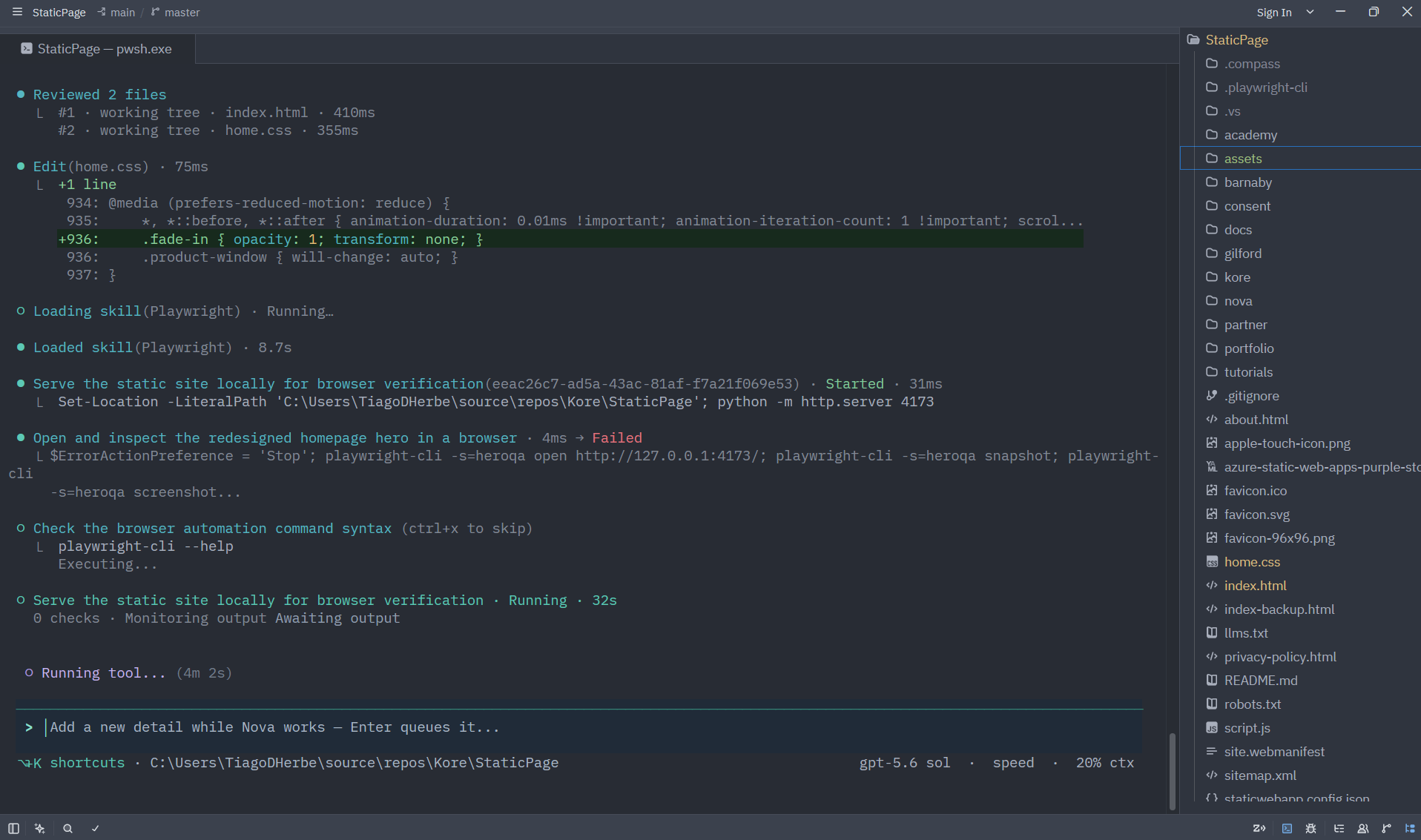
Nova reviewing and improving a software project inside the Compass desktop workspace
NNova for engineering
60%
Faster decision-making
500+
Enterprise teams
95%
User adoption within 90 days
99.9%
Uptime SLA
Products

One platform. Five agents. Every surface your people already work in.

No new chat window to learn. Each Compass agent lives inside the application it serves, reads your organisation's context, and acts.

Command line & IDE

Nova

An agentic engineer for your terminal and editor. Nova reads the codebase, plans, edits, runs the checks and reports back — with MCP integration into the tools your team already runs.

  • IDE integration over the MCP protocol
  • Context-aware code generation and debugging
  • Plans, approvals and audit trail for every change
Explore Nova
Desktop · Windows, macOS, Linux

Compass Partner

A desktop AI interface connected to your organisation's knowledge and systems. One hotkey from anywhere; enterprise SSO, local processing and offline mode built in.

  • Connects to SharePoint, OneDrive, Teams and MCP tools
  • Enterprise SSO and role-based access
  • System-wide hotkey; works offline
SharePoint OneDrive Teams Outlook Knowledge buckets MCP servers
Microsoft Excel

Gilford

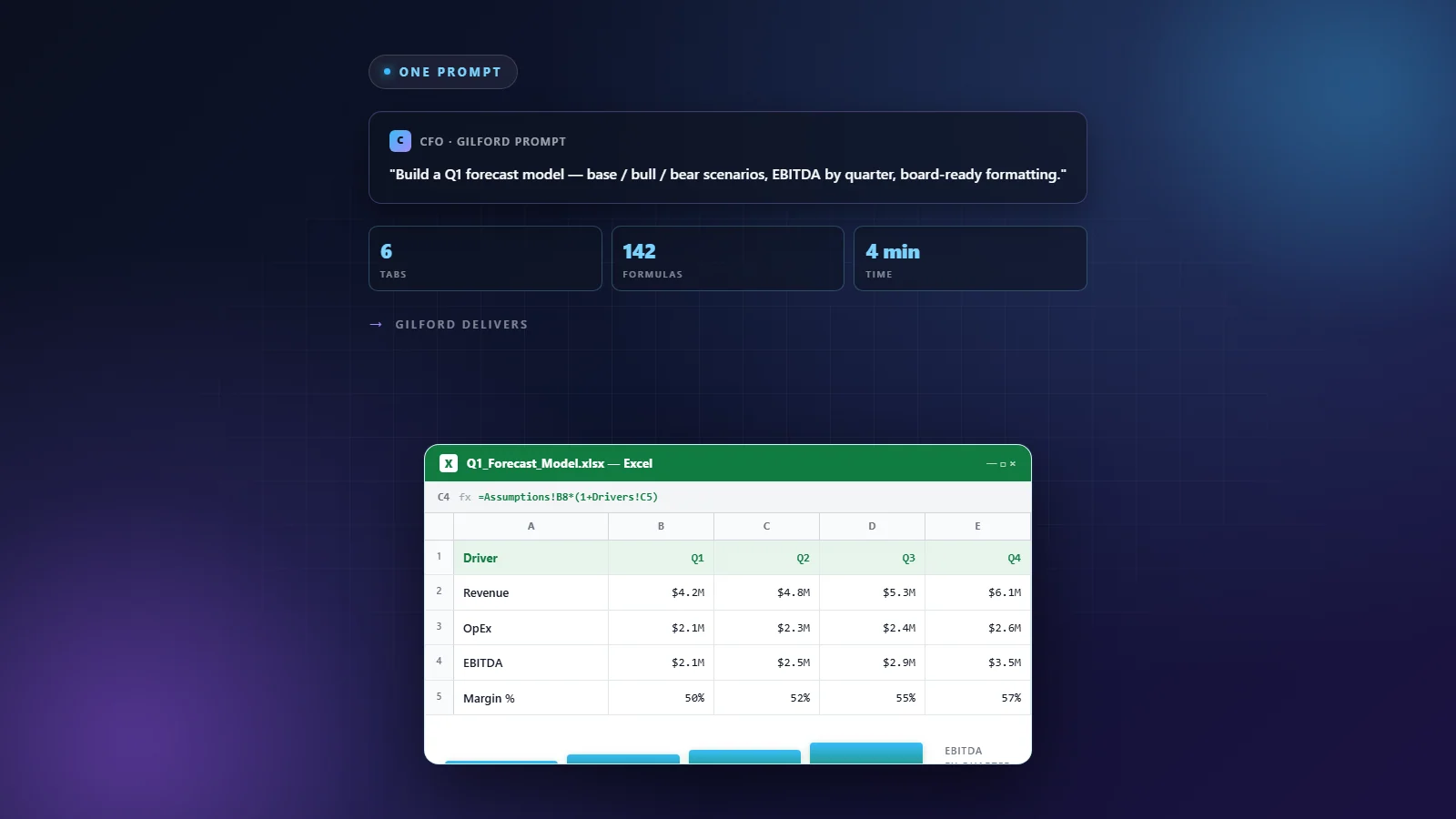
Build multi-tab financial models, reports and dashboards from a sentence. Formulas, formatting and charts included.

Gilford building a Q1 forecast model in Excel
Microsoft PowerPoint

Barnaby

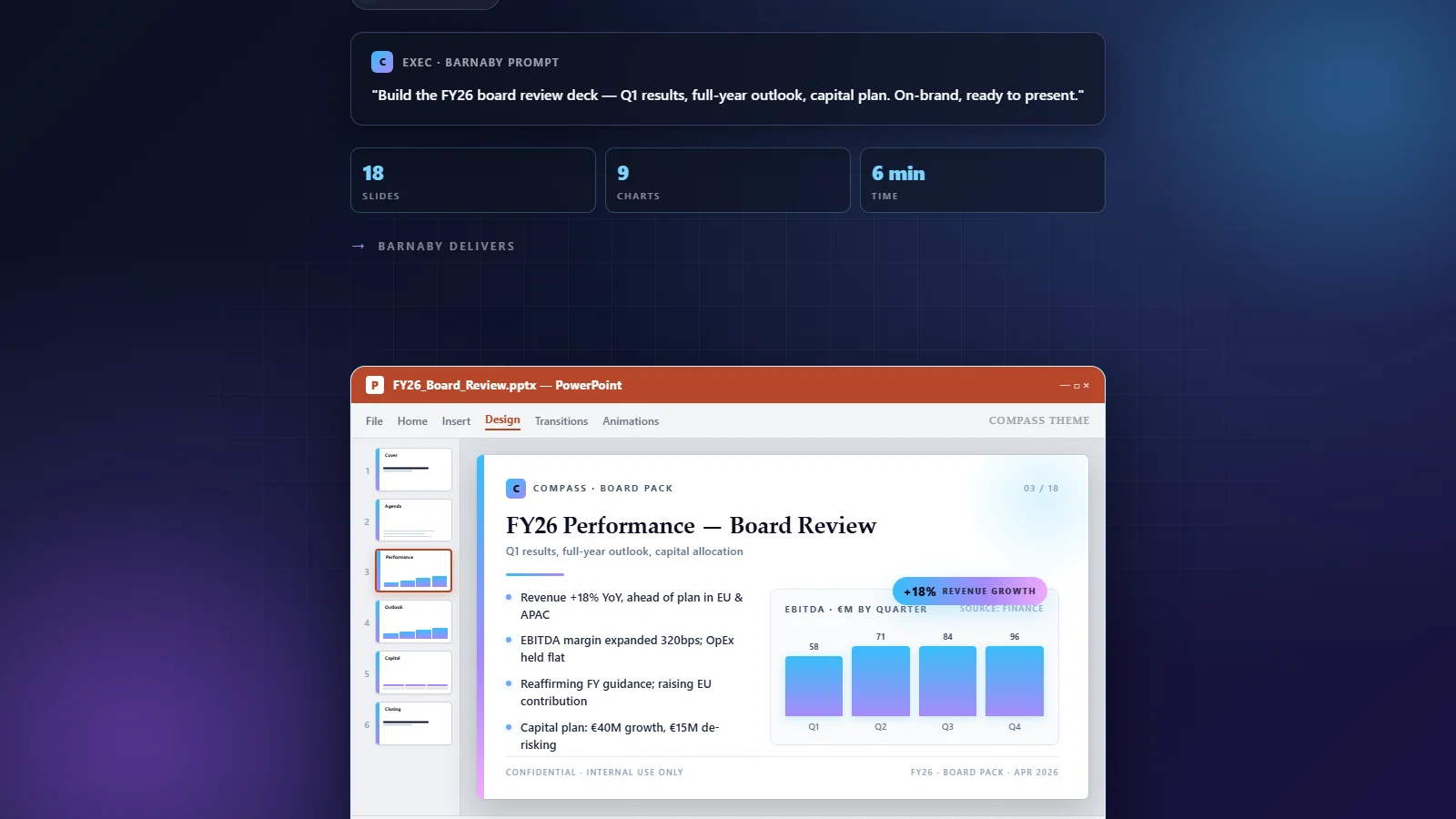
Turn spreadsheets, notes and PDFs into on-brand, boardroom-ready decks with sound layout and narrative flow.

Barnaby generating a board review deck in PowerPoint
Microsoft Word

Marlowe

New

Draft, restructure and rewrite documents with controlled tone and consistent formatting — from first draft to final polish.

  • Natural-language document generation
  • Rewriting with tone and audience control
  • Structure and formatting aware
Microsoft Outlook

Alfred

New

Summarise threads, extract actions, draft replies in your voice and schedule follow-ups — without leaving the inbox.

  • Thread summaries and action extraction
  • Calendar-aware meeting preparation
  • Secure Microsoft Graph integration
Platform

Microsoft 365 integration

Every agent shares one secure connection to OneDrive, SharePoint, Teams and Outlook through the Microsoft Graph API, governed by your tenant's OAuth 2.0 policies.

  • OneDrive and SharePoint file access with tenant permissions respected
  • Microsoft Teams collaboration and enterprise search
  • Outlook calendar and email, scoped by role
  • Enterprise-grade OAuth 2.0, SCIM provisioning and audit logs
Extensibility & tools

Open by design. Powered by MCP.

Every Compass agent speaks the Model Context Protocol, so connecting a new system is configuration, not a project. Agents ship with a pre-selected set of the most enterprise-useful MCPs, and Compass runs its own MCP server, purpose-built with the tools that speed up daily work.

  • Native MCP support — plug in any compliant server
  • Curated enterprise MCPs enabled out of the box
  • Compass MCP server, scoped per user and role
  • Document parsingTurn PDF, Office, image (OCR), HTML and audio files into clean markdown.
  • Office & chartsGenerate branded Word and Excel files, PDFs and chart images from markdown and data.
  • Python sandboxRun isolated Python for data analysis and file transforms, returning downloadable artifacts.
  • Agent handoffsDelegate work between Nova, Gilford, Barnaby and Marlowe, with shared artifacts.
How it works

Up and running in minutes, not quarters.

No data migration, no new workflow to roll out. Compass installs where your people already are.

1

Connect your tools

Add the Office add-ins, sign in with your Microsoft account, and install Nova with one command. No complex configuration.

npm install -g @compass-ai/nova
2

Describe the outcome

Plain English, inside the app. "Build a Q1 forecast with base, bull and bear scenarios" or "Summarise this thread and draft a reply."

“Build the FY26 board deck from Q1_actuals.xlsx”
3

Review and ship

Agents return real files in the real application — formulas, slides, documents, code. You review, refine and send. Every action is logged.

✓ 6 tabs · 142 formulas · 4 min
Security & compliance

Built for the scrutiny of IT, legal and the board.

Compass works within your Microsoft tenant's permission model through secure OAuth 2.0 and Graph API integration, and every agent action is attributable.

  • SOC 2 Type IIIndependently audited controls
  • GDPR compliantPrivacy by design, EU-based company
  • ISO 27001Information security management
  • SSO, RBAC & SCIMEntra ID provisioning and roles
  • Data retention controlsCustom policies and IP allowlisting
  • Audit logs & compliance APIEvery agent action, exportable
Compass transformed our decision-making. Strategic decisions are 60% faster, board meetings are data-driven conversations rather than guesswork, and the ROI was evident within the first quarter.
Tiago LealCFO, Brighten Consulting
Governance

Flexibility, visibility and granular control.

Five controls in one admin console. Teams get room to work, admins see exactly where credits go, and every extra euro of spend is a deliberate decision. That is what enterprises actually need.

  • Oneadmin console for every seat, budget and key
  • Zerosilent overruns — over-budget behaviour is set per user
  • Everyextra euro is explicitly approved by an admin
Credits are consumed in this order
  1. 1Seat allowanceMonthly base per user
  2. 2Approved extensionGranted by an admin
  3. 3Shared credit poolOnly if the user is eligible
  4. APIAPI poolSeparate balance, billed apart

Seats

Every user holds a seat at a subscription level. Admins see each seat's consumption and remaining allowance in one place, and can assign, reassign or revoke seats as roles change.

Approvals

When a user asks for more budget, the request appears on the admin's Managed Budget page next to their actual usage. Nothing is granted until an admin decides.

Extensions

An approved request becomes a user extension: extra credits for that individual on top of their monthly base, used before the shared pool is touched.

Credit Pool

A shared organisation balance that eligible users draw from once their base and extensions run out. Admins fund it with top-up packs and set each user's over-budget behaviour: use the pool, default funding, or blocked.

API Pool

API keys draw from a dedicated API Credit balance, tracked and funded separately from seats and the pool. Automated workloads never compete with your team, and never run dry unnoticed.

Pricing

Simple per-seat pricing. Every plan starts with a 7-day free trial.

Every seat includes a monthly allowance of AI Credits, one currency for all 23 AI models across 6 providers. Auto-routing picks the best model for every task, so your credits go further. No long-term contracts, cancel anytime.

Essential

For teams getting started with AI agents across their tools

20/ seat / month
Start free trial
  • 1,500 AI Credits per seat / month
  • All 23 AI models, auto-routed
  • Unlimited agents, skills & workflows
  • Knowledge base & admin dashboard
  • SSO / SAML & usage reporting
Credits & billing
Monthly credits
1,500
Annual billing
€36 / seat / month
Credit pool
Shared org pool
Per-user guardrails
Yes
Enterprise

For power users and organisations running AI at scale

200/ seat / month
Start free trial
  • 20,000 AI Credits per seat / month
  • Everything in Professional
  • Rolling credits available on request
  • Mixed seat tiers & departmental billing
  • Custom plans via sales
Credits & billing
Monthly credits
20,000
Annual billing
€180 / seat / month
Credit pool
Shared org pool
Per-user guardrails
Yes

All prices exclude VAT and are invoiced in EUR. Annual billing saves around 10%. Need a custom plan? Talk to sales.

  • Secure payment with Stripe
  • Enterprise-grade security
  • Priority support
  • Cancel anytime
AI Credits

One credit currency. Pooled, governed, never wasted.

Credits are not locked to individuals. Every seat contributes to your organisation's pool, admins set the guardrails, and users can ask for more when they need it.

Organisation AI Credit Pool

Every seat's monthly credits go into one shared pool for your organisation. A power user can draw more than their share while a light user draws less, so the pool balances across the team instead of leaving unused per-seat allowances on the table. Admins set per-user guardrails to protect the pool.

10 × Professional seats = 75,000 credits / month, shared

Budget extensions

When a user reaches their monthly limit, AI features pause for that user, and they can request a budget extension directly from the app. Admins receive the request and can approve it, redistribute remaining credits by adjusting guardrails, or buy a top-up pack. Top-up credits land in the shared pool immediately.

User requests → admin approves → work continues

API Credits

Building your own products or automations on the Compass API? API usage draws from a separate API Credit pool, so development and integration workloads never compete with your team's day-to-day AI Credits. API Power User configurations are available for development teams.

Seat credits and API credits are billed separately

Credits reset monthly by default. Rolling credits are available on Enterprise plans on request. Ask about API Credits.

FAQ

Frequently asked questions

What is Compass?

Compass is an enterprise AI agent platform. Instead of a separate chatbot, its agents work inside the tools you already use: Nova in your command line and IDE, Gilford in Microsoft Excel, Alfred in Outlook, Barnaby in PowerPoint, Marlowe in Word, plus a full Microsoft 365 integration. You describe what you need in plain English and get production-ready spreadsheets, code, emails, documents, and presentations.

Which applications does Compass integrate with?

Microsoft Excel, Outlook, PowerPoint, Word, Microsoft 365 and Teams, your command line and IDE, plus external tools via the Compass Partner MCP integration.

How does the free trial work?

Every plan starts with a 7-day free trial with full enterprise access. No credit card is required, and you can cancel anytime.

How much does Compass cost?

Three plans billed per seat per month: Essential at €40 with 1,500 AI Credits, Professional at €85 with 7,500 AI Credits (the most popular), and Enterprise at €200 with 20,000 AI Credits. Every plan includes all 23 AI models, unlimited agents, skills and workflows, SSO and the admin dashboard. No long-term contracts.

What are AI Credits and what happens when we run out?

AI Credits are a single currency for every model on the platform. Each seat's credits go into your organisation's shared pool, protected by per-user guardrails. When a user hits their limit, they can request a budget extension that an admin approves; admins can also redistribute credits or buy a top-up pack. Building with the Compass API uses a separate API Credit pool.

What happens to my trial when I subscribe?

Your trial seamlessly converts to a paid subscription. All your data, configurations, and team settings are preserved.

Can I add or remove seats later?

Yes — seats adjust automatically as you add or remove users. You're only billed for active users, prorated to your billing cycle.

What payment methods do you accept?

All major credit cards, bank transfers for annual plans, and invoicing for enterprise customers.

Is there a contract or commitment?

No long-term contracts. Billed monthly, cancel anytime. Your access continues until the end of your billing period.
Put an agent in every application your team opens tomorrow morning.

Join 500+ enterprise teams using Compass. Full access for 7 days, no credit card.

Questions? Talk to our team.